
Launch offer ₹399 ₹1,999 80% off · ends 31 Dec 2026, 11:59 pm IST --days--hrs--min--sec
Get Sheetsprint · ₹399
For office staff, students and small business owners

Learn the Excel and Google Sheets skills offices actually use, in one hour

50 formula cards with worked examples, a guide of six ten-minute sprints and a practice workbook with 24 exercises and their exact answers. Type along, check yourself, and use it at work the same day.

  • Total and count by branch, month or person with SUMIF and SUMIFS instead of filtering by hand
  • Bring rates, names and categories from another list with XLOOKUP, VLOOKUP or INDEX MATCH
  • Summarise a whole sheet with a pivot table and a chart, then protect it from mistakes
Get Sheetsprint · ₹399 ₹1,999 Save ₹1,600
Launch offer ends 31 Dec. One payment.
  • UPI · cards · netbanking
  • GST invoice
  • Download in under a minute
3files · PDF · XLSX
10,000+bonus ebooks, free
7 daysto download, yours to keep
₹399 ₹1,999once · GST included
See it work

See it work

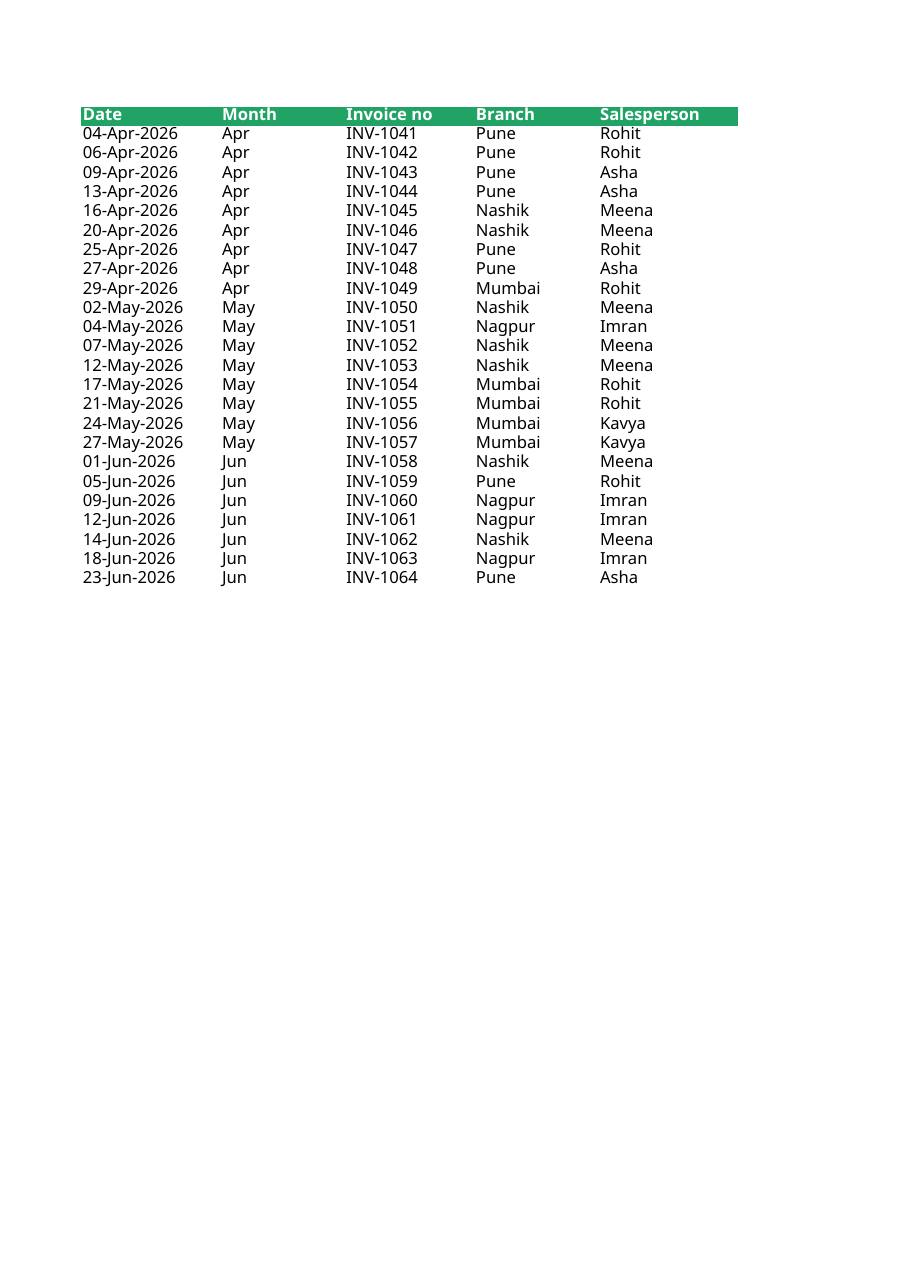
Formula Card 14, SUMIFS, on the practice workbook's sales data: 24 invoices from Pune, Nagpur, Nashik and Mumbai, April to June.

Worked example from the practice data included in the workbook.

Sheetsprint · prompt → result
You paste

Task: total sales of the Pune branch in April only. Amounts are in J2:J25, branches in D2:D25, months in B2:B25. Card pattern: =SUMIFS([range to add],[range 1],[condition 1],[range 2],[condition 2])

The AI answers

Formula: =SUMIFS(J2:J25,D2:D25,"Pune",B2:B25,"Apr")

Result: 19830, Pune's April sales

Read it aloud: add column J where column D is Pune and column B is Apr

Check: filter Branch to Pune and Month to Apr, select the amounts, and the status bar shows the same sum

Next step from the card: type the four branches down a column and fill one formula to make a branch-by-month grid

Common mistake flagged on the card: in SUMIFS the range to add comes first, unlike SUMIF

Sound familiar?

You are not bad at spreadsheets. Nobody showed you the dozen things that matter.

01

The monthly report takes a whole afternoon

Filter, select, note the total, clear the filter, repeat for the next branch. One formula does the same work, and updates itself when an invoice changes.

02

"Advanced Excel" is on every job posting

VLOOKUP, pivot tables, conditional formatting. They sound hard, and the free tutorials jump between versions, so you never practise long enough for it to stick.

03

Your business data lives in a notebook or a messy sheet

Sales in one place, expenses in another, stock in your head. You know a spreadsheet could show you what sells and who owes you, but not where to begin.

An hour of the right practice changes that.

Why this matters

The afternoon that became ten minutes

Picture an accounts assistant in Nashik. Every month her manager asks for sales by branch, the money still to collect and the biggest customers. She filters the sheet four times, adds the numbers on a calculator, and types them into an email. It takes most of an afternoon, and twice this year a figure was wrong.

She is careful and quick with numbers. What she lacks is not ability but a handful of tools: a formula that totals by condition, a lookup that brings a rate from the price list, a pivot table that summarises the whole sheet without any formula at all.

So she spends one hour with sample data, typing each formula and checking it against the expected answer. The next month she writes four SUMIFS, adds a dropdown to the branch column so nobody types Poona again, and builds one pivot table with a chart. The report takes ten minutes, and the totals match the status bar every time.

That is what this kit teaches: the small set of skills that does most of the work, practised until it is yours.

The way out

Six sprints, one hour, checked as you go

The Sprint Guide breaks the hour into six steps of about ten minutes. Each one uses the practice data, points to the Formula Cards for detail, and ends with exercises whose exact answers are in the workbook.

  1. 01

    Type, do not just read

    Every step is a formula you type on realistic sales, price and staff data. Your hands learn it; reading alone does not.

  2. 02

    Check against the expected answer

    Each exercise gives the result you should see, such as 26880 for Pune's total, so you know at once whether you got it right.

  3. 03

    Use it on your own file the same day

    Look up any formula in the 50 cards, copy the card, change the [BRACKETS] to your cells, and apply it to your real register or report.

What you will understand

The thinking behind it

Five ideas from the guide. They are worth knowing even if you never buy anything.

I

A dozen skills do most of the work

Conditional totals, lookups, text and date cleaning, pivot tables, charts and guard rails cover most of what offices ask for. Learn these well before anything else.

II

Clean data first, formulas second

Most wrong answers come from extra spaces, numbers stored as text and dates that are really text. Ten minutes of cleaning saves an hour of confusion.

III

Keep raw data, calculations and reports apart

One tab for the list, one for the workings, one for the summary. Raw data stays clean and the report stays readable.

IV

Never type a number into a formula

Put rates and limits in labelled cells and refer to them. When the rate changes you edit one cell, not every formula.

V

Always check with a second method

Compare a formula with the status bar sum or a pivot total. When two methods agree, you can trust the report you send.

What you get

What is inside

Three files that work together: the guide gives you the order, the cards give you the formulas, the workbook gives you the practice.

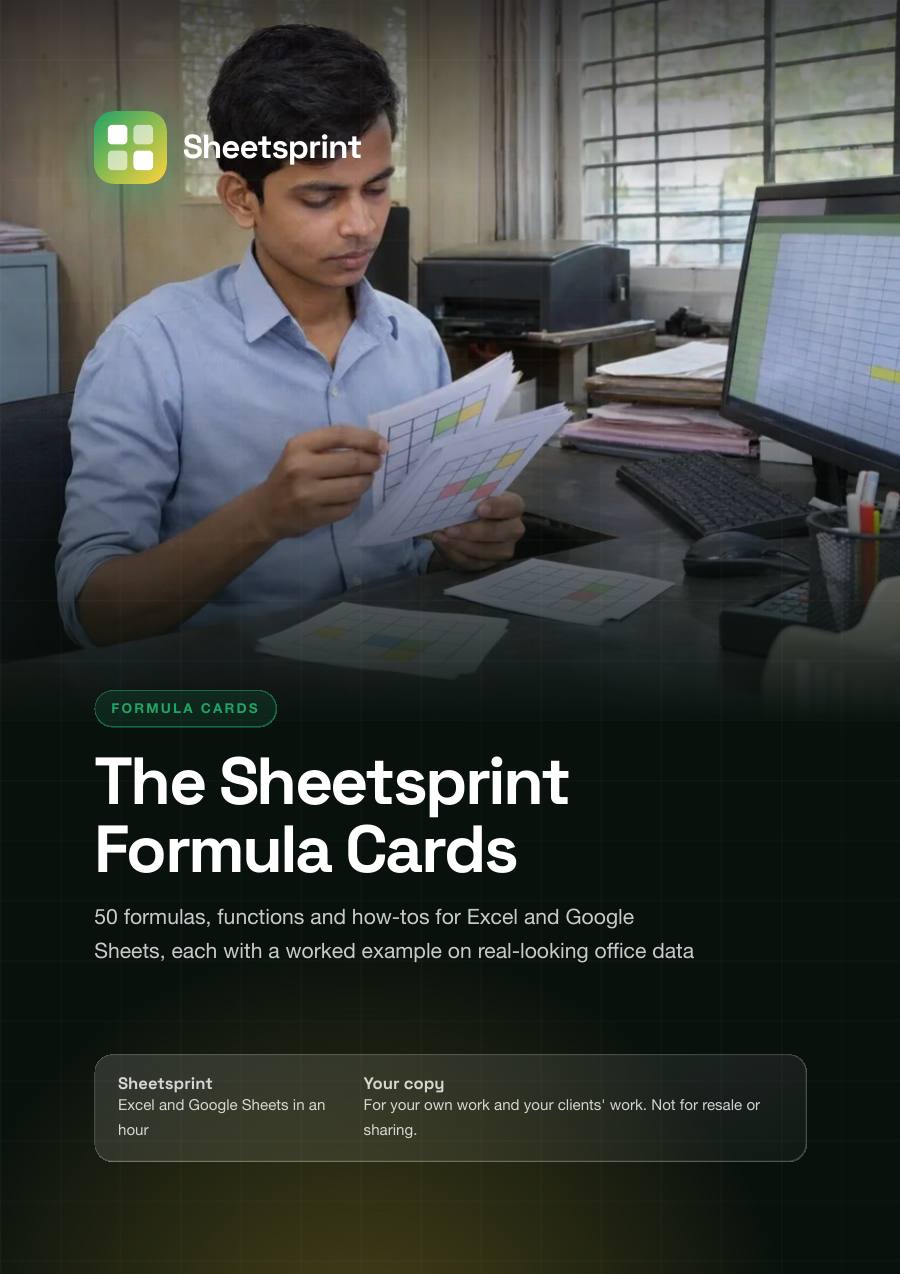
The 50 Formula Cards for Excel and Google Sheets

The 50 Formula Cards for Excel and Google Sheets

Every card explains a formula in plain words, works an example on the practice data, and ends with a copy card you paste and adapt. Where Excel and Google Sheets differ, the card shows both.

  • 50 cards in 7 chapters, from SUM to QUERY
  • SUMIF, SUMIFS, COUNTIFS, IF, IFS and IFERROR with real office examples
  • VLOOKUP, XLOOKUP, INDEX MATCH and a checklist for fixing #N/A
  • TRIM, PROPER, DATEVALUE, DATEDIF and the Indian lakh comma format
  • Pivot tables, charts, dropdowns, conditional formatting and protection
  • Google Sheets specifics: ARRAYFORMULA, QUERY, IMPORTRANGE, Forms and version history
Format
PDF
Files
1
Size
1 MB
Course
1 slide lesson, open for a year
Excel and Sheets in an Hour: The Sprint Guide

Excel and Sheets in an Hour: The Sprint Guide

The hour itself, step by step. Six sprints of about ten minutes, each typed on the practice data and checked against exact answers.

  • Five minutes of setup and the five words you need
  • Six sprints: totals, conditions, lookups, text and dates, pivots and charts, guard rails
  • Tables of common mistakes with what you will see and the fix
  • The ten mistakes behind most wrong answers
  • How office staff, students and business owners can use each skill
  • A seven-day rhythm and what to learn next
Format
PDF
Files
1
Size
619 KB
Course
1 slide lesson, open for a year
The Sheetsprint Practice Workbook

The Sheetsprint Practice Workbook

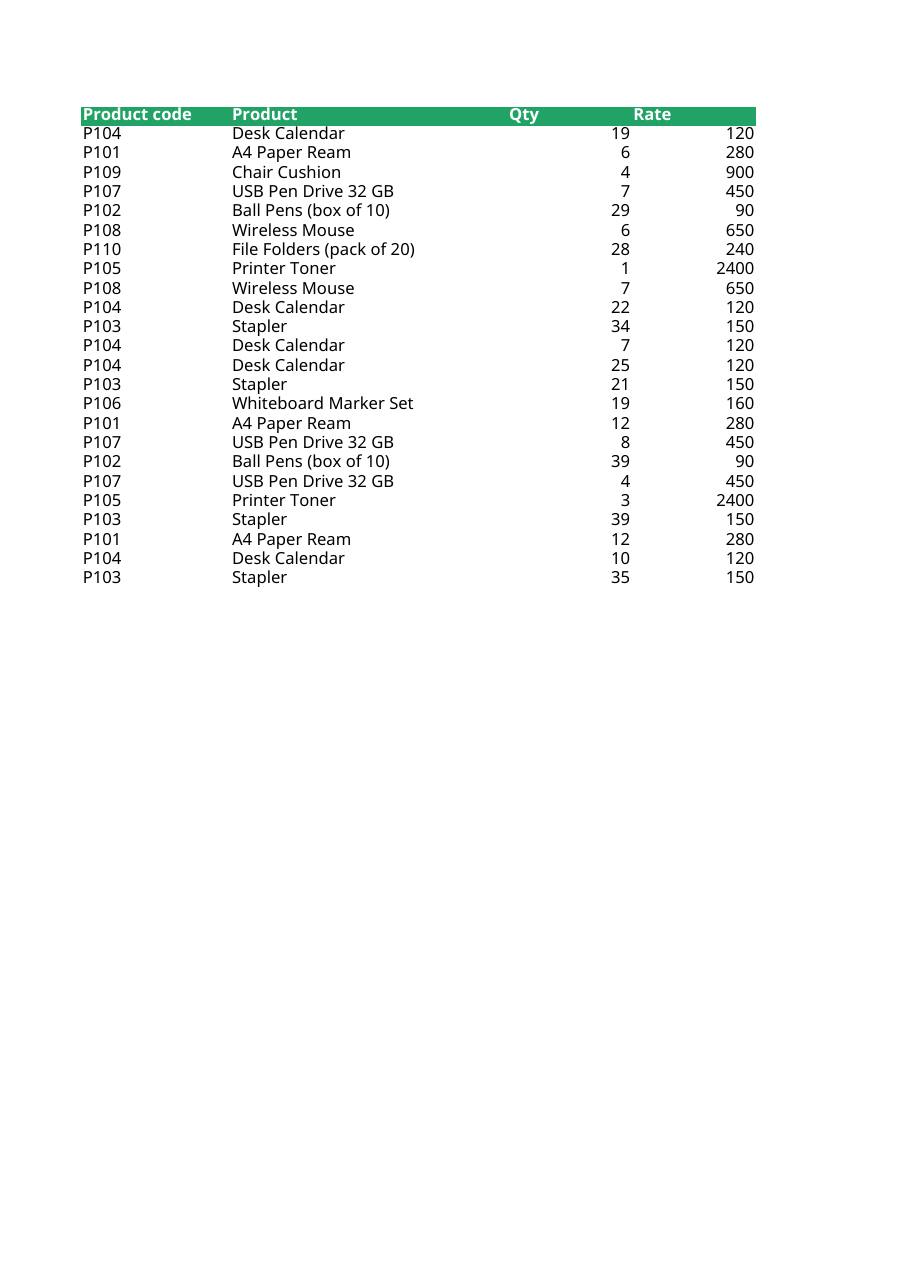
A workbook with five tabs that opens in Excel or Google Sheets. The sample data looks like real office data, including text dates you learn to fix.

  • Sales data: 24 invoices from four branches over three months
  • Price list: 10 products with codes, rates and sample GST rates
  • Staff list: 10 employees with departments, cities and joining dates
  • Exercises: 24 tasks with hints, answer formulas and expected results
  • Practice log: a week of short sessions planned and tracked
Format
Spreadsheet
Files
1
Size
17 KB
A look inside

From raw list to a report you can trust

Open the workbook, follow the sprint, and watch the same sales data turn into totals, lookups, a pivot table and a chart, each one checked against the expected answer.

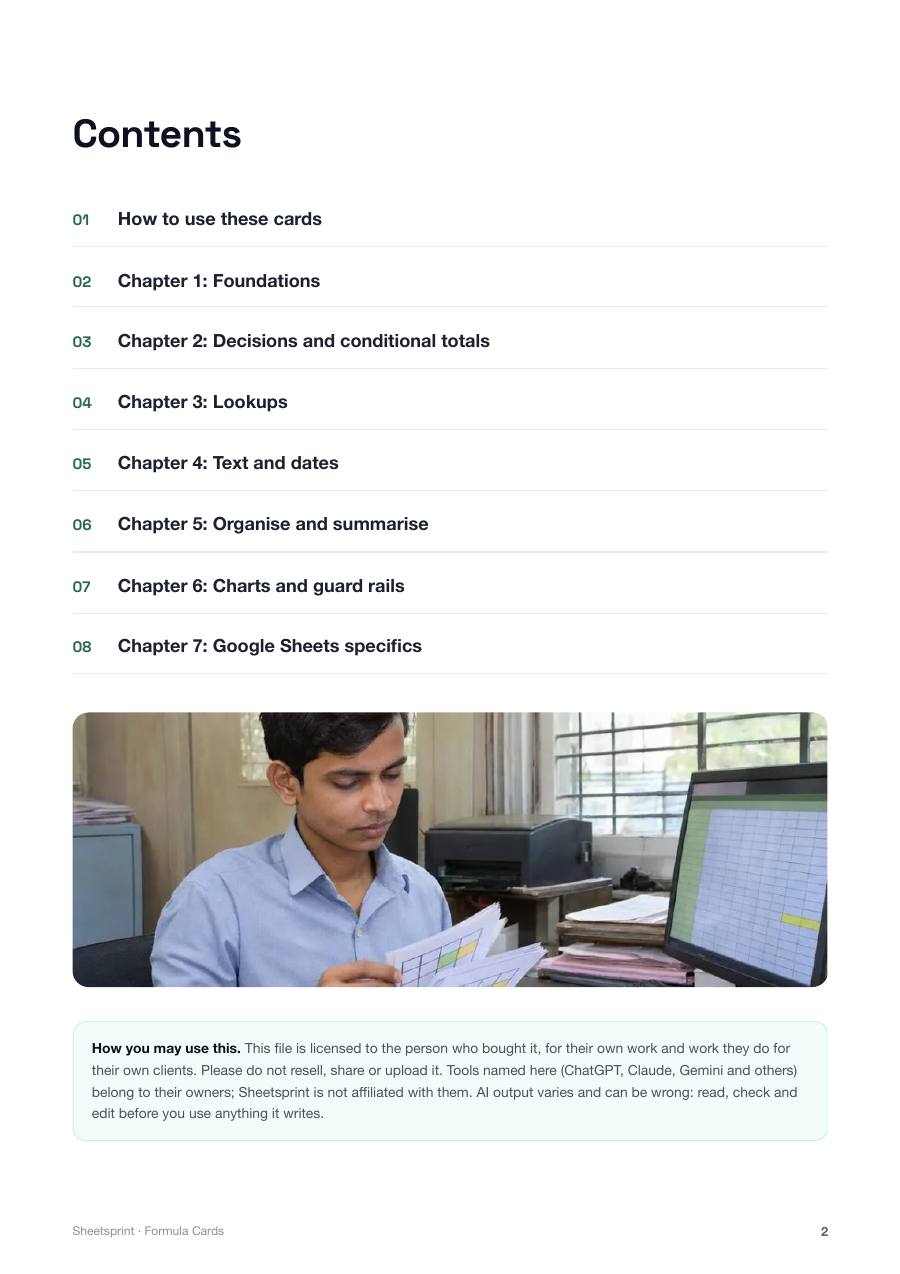
The 50 Formula Cards for Excel and Google Sheets
Total by branch and month with one SUMIFS filled acrossThe 50 Formula Cards for Excel and Google Sheets
The 50 Formula Cards for Excel and Google Sheets
Bring each product's rate and GST rate with XLOOKUPThe 50 Formula Cards for Excel and Google Sheets
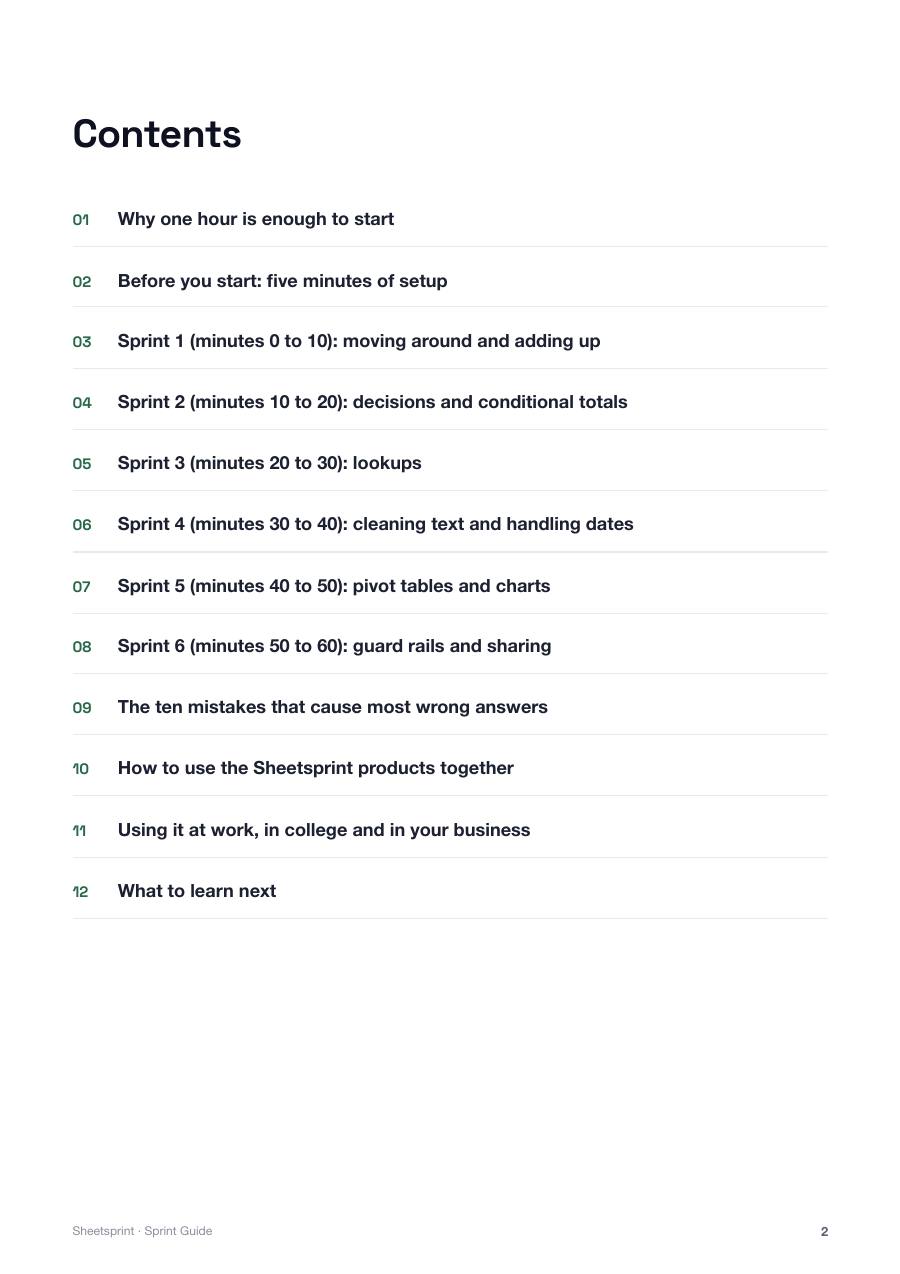
Excel and Sheets in an Hour: The Sprint Guide
Summarise with a pivot table and chart, then colour the unpaid rowsExcel and Sheets in an Hour: The Sprint Guide
Excel and Sheets in an Hour: The Sprint Guide
Excel and Sheets in an Hour: The Sprint GuideExcel and Sheets in an Hour: The Sprint Guide
The Sheetsprint Practice Workbook
The Sheetsprint Practice WorkbookThe Sheetsprint Practice Workbook
The Sheetsprint Practice Workbook
The Sheetsprint Practice WorkbookThe Sheetsprint Practice Workbook

These are actual pages from the product, shown smaller. Swipe to see more.

Why people use it

What changes when you work this way

Reports take minutes, not afternoons

A few SUMIFS or one pivot table replace the filter, select and calculator routine, and they update when the data changes.

You can answer the interview question

When someone asks what VLOOKUP does or how you would summarise a sales sheet, you have typed it yourself and can explain it in a sentence.

Fewer wrong numbers go out

You check formulas against the status bar and pivot totals, and dropdowns stop the spelling mistakes that break counts.

Errors stop being scary

You know what #N/A, #VALUE! and #REF! mean and how to fix them, instead of deleting the formula and typing numbers by hand.

Your business numbers become visible

A sales register with SUMIFS and conditional formatting shows what sells, who owes you and which bills are overdue.

Excel or Google Sheets, it does not matter

You learn both at once, so you are comfortable in whichever your office, college or team uses.

Your win

Same data, a different afternoon

Before

  • Filtering and adding totals on a calculator
  • Copying rates from the price list by eye
  • Branch names typed five different ways
  • A formula error means starting again

With Sheetsprint

  • One SUMIFS grid that updates by itself
  • XLOOKUP fills every rate in one go
  • A dropdown that allows only the right names
  • You read the error and fix it in a minute
This is for you if
  • Office staff in accounts, sales, HR or admin who use spreadsheets every day and want to work faster
  • Students preparing for internships, placements or project reports that need clean tables and charts
  • Small business owners who want sales, expenses and stock in one sheet they understand
  • Anyone who uses Google Sheets on the phone or Excel on a laptop and wants to stop guessing
Not for you if
  • Experienced analysts looking for macros, VBA, Power Query or data modelling
  • People who want a certificate or a recognised qualification
  • Anyone who prefers a long video course to typing along with short written steps
Bonus · free with every order

A library of 10,000+ ebooks, yours to download

Along with your Sheetsprint files you get our bonus library: 10,000+ ebooks and ready-to-edit articles with resale rights, sorted by subject, from business and marketing to health, hobbies and self-growth.

  • Instant download links on your order page, the moment your payment is confirmed
  • Browse by subject, or take the whole library as ZIP files
  • No extra charge, with every option on this page
10,000+bonus ebooksFree with your order
Choose how far you go

Pick how far you want to take your spreadsheet skills

Every package includes the Sheetsprint pack, a library of related products to choose from and three crash courses in English and Hindi. Prime adds the Formula Builder tool. Ultra Prime adds every Sheetsprint product and all five tools: Formula Builder, Cleanup Planner, Layout Planner, MIS Check and Report Writeup. Every package runs for one year. The pack's launch price holds until 31 Dec, 11:59 pm IST.

Instant buy

The Sheetsprint pack, yours to keep

₹399₹1,999

once · GST included

  • The 50 Formula Cards for Excel and Google Sheets
  • Excel and Sheets in an Hour: The Sprint Guide
  • The Sheetsprint Practice Workbook
  • Bonus: 10,000+ ebooks
  • Download for 7 days
Get the pack · ₹399

Standard

The pack, a library to choose from and three crash courses

₹1,499+ GST

1 year · ₹1,768.82 with 18% GST

  • The Sheetsprint pack (3 products)
  • Your own dashboard for 1 year
  • Library of 250 selected products: download any 10 free, no watermark
  • 3 crash courses, 20 minutes each, narrated in English or Hindi
  • More with Paytrols: 50 for an extra download (up to 50 more)
  • Bonus: 10,000+ ebooks
Get Standard · ₹1,499

Prime

More downloads and your first tool app

₹2,999+ GST

1 year · ₹3,538.82 with 18% GST

  • The Sheetsprint pack (3 products)
  • Your own dashboard for 1 year
  • Library of 250 selected products: download any 25 free, no watermark
  • 3 crash courses, 20 minutes each, narrated in English or Hindi
  • Formula Builder tool app: describe the job and your columns. Get the formula, in plain words, with a check
  • 4 free tool runs a month
  • More with Paytrols: 50 for an extra download (up to 100 more), 200 for an extra tool run
  • Bonus: 10,000+ ebooks
Get Prime · ₹2,999
Everything, with all 5 tools

Ultra Prime

Every product and all 5 tool apps

₹3,999+ GST

1 year · ₹4,718.82 with 18% GST

  • All 5 Sheetsprint products, kits included
  • Your own dashboard for 1 year
  • Library of 250 selected products: download any 50 free, no watermark
  • 3 crash courses, 20 minutes each, narrated in English or Hindi
  • All 5 tool apps: Formula Builder, Cleanup Planner, Layout Planner, MIS Check and Report Writeup
  • 20 free tool runs a month across the tools
  • More with Paytrols: 50 for an extra download, any in the library, 200 for an extra tool run
  • Bonus: 10,000+ ebooks
Get Ultra Prime · ₹3,999

Standard, Prime and Ultra Prime run for 1 year, from payment. Package prices are before GST: 18% is added at checkout. Paytrols are loaded inside your dashboard from your own Paytrol Merchant Account (paytrol.net), where Paytrols are bought. A renewal costs the same as the first year and nothing renews by itself. When a package ends its dashboard closes, the tool apps with it; files you downloaded stay yours. Secure payment by Razorpay, GST invoice with every payment.

Crash courses · in every package

Three 20-minute crash courses in English and Hindi: Total, count and decide with formulas, Lookups and clean data that do not break, and A monthly report with pivots, charts and guard rails.

  • Total, count and decide with formulas
    You will be able to total, count and label rows by condition with SUM, IF, COUNTIF, SUMIF and SUMIFS, and check every answer a second way.
  • Lookups and clean data that do not break
    You will be able to bring values from one list into another with VLOOKUP, XLOOKUP and INDEX MATCH, fix #N/A errors, and clean text and dates so lookups stay correct.
  • A monthly report with pivots, charts and guard rails
    You will be able to turn a raw list into a checked monthly report with a pivot table, a clear chart, dropdowns, coloured rows, protected formulas and safe sharing.
5 tool apps · one with Prime, all with Ultra Prime

Formula Builder, Cleanup Planner, Layout Planner, MIS Check and Report Writeup: formulas for your columns, a plan for messy data, registers and reports laid out, figures re-checked, and the summary email or handover.

  • Formula Builder · from Prime
    Describe the job and your columns. Get the formula, in plain words, with a check.
  • Cleanup Planner
    Paste a few messy rows. Get a cleaning plan with the formula for each column.
  • Layout Planner
    Say what you need to track or report. Get the tabs, columns and formulas laid out.
  • MIS Check
    Before a report goes out: every total re-added, every risky formula flagged.
  • Report Writeup
    Turn a checked report into the email that goes with it, or steps a colleague can follow.
Questions

Before you ask

How and when do I get it?

Immediately. After payment you land on a download page with every file, and the same link is sent to your email.

What formats are the files, and what opens them?

The cards and the guide are PDFs, the workbook is an XLSX that opens in Excel or Google Sheets, and the kits are ZIP files with PDFs and CSV templates that open in either app.

Which version of Excel do I need?

Most cards work in any Excel from 2010 onwards and in Google Sheets. A few newer functions, such as XLOOKUP, FILTER and UNIQUE, need Excel 365, Excel 2021 or later, or Google Sheets; those cards say so and give an alternative for older Excel.

Does it work on a phone?

You can read the PDFs and try formulas in the Google Sheets app, but typing along is much easier on a laptop or desktop. Pivot tables and conditional formatting are most comfortable on a computer.

Is it a one-time payment?

Yes. One payment, no subscription, and the files are yours to keep.

I have never used a spreadsheet. Is it too advanced?

No. The guide starts with what a cell and a range are, and every step tells you exactly what to type and what you should see. If you can use a phone and a keyboard, you can follow it.

What is the refund policy?

This is a digital product, so there is no refund once the download link has been issued. If a file is broken or missing, write to us and we will replace it or refund you.

How long does the download link work?

For 7 days. Download everything and save it to your own device or drive on the first day. With a package, your files stay open in your dashboard for as long as the package runs.

What is the difference between the pack and a package?

The pack is the Sheetsprint files, paid once and yours to keep. A package adds your own dashboard for one year, a library of selected products and three crash courses in English or Hindi. Standard: download any 10 library products free. Prime: any 25 free, and the first tool app with 4 free runs a month. Ultra Prime: any 50 free, every Sheetsprint product and all 5 tool apps with 20 free runs a month. Package prices are before GST; 18% is added at checkout.

What are Paytrols for?

Paytrols pay for more than a package gives free: 50 Paytrols for an extra library download and 200 for an extra tool run. You buy Paytrols in a Paytrol Merchant Account at paytrol.net and load them inside your dashboard by connecting its merchant card (card number and card key); the Merchant Account must use the same email or mobile number as your dashboard. Standard can load up to 2,500 in a term (downloads only), Prime up to 15,000, Ultra Prime any number. You can send unused Paytrols back to your Merchant Account at any time. Paytrols are STARTIONS credits: they are not money or a cryptocurrency and cannot be exchanged for money.

What happens when a package ends?

Nothing is charged by itself. The dashboard closes, the tool apps with it, and you can renew whenever you like: a renewal costs the same as the first year, less any coupon Sheetsprint gives you. Paytrols left in your dashboard go back to your Merchant Account. Files you have downloaded stay yours.

Can I start with the pack and move up later?

Yes. From your order page you can move to any package and pay only the difference. Inside a package you can also move to a higher one for the difference.

Before you buy

Digital product. Delivered instantly. No refunds once the download link is issued. Please read “What you get” above so nothing surprises you. If a file is broken or missing, we replace it or refund you.

You pay once: there is no subscription. Your download link works for 7 days. Sold and invoiced by STARTIONS LLP, with a GST invoice for every order. Help: support@startions.com.

This is Micro Startup proudly run by students from India.

One hour from now, the monthly report could be the easy part of your day

Learn the Excel and Google Sheets skills offices actually use, typed on real-looking data and checked as you go.

Get Sheetsprint · ₹399
₹399 ₹1,999Launch offer ends in …
Get Sheetsprint